
Download Real Temp – monitor CPU temperature, real-time temperature tracking, PC thermal monitoring, detect overheating, CPU core temperature
Overview
Real Temp is a specialized utility designed for Windows users seeking to monitor their PC’s internal temperature in real time. The application serves as a diagnostic tool for both laptop and desktop users, offering insights into the thermal behavior of their hardware. By tracking temperature levels across individual CPU cores, Real Temp helps users identify potential overheating risks that could lead to system instability or unexpected shutdowns. This is particularly valuable for users who rely on their systems for demanding tasks such as gaming, video editing, or software development, where sustained high performance can push hardware to its thermal limits.
The app is intended for users who want to maintain optimal system health and longevity by staying informed about their device’s internal conditions. While it does not actively manage or cool hardware, it provides critical data that empowers users to make informed decisions about maintenance, cooling upgrades, or usage patterns. Real Temp is especially useful for both novice users seeking simple temperature visibility and advanced users requiring granular monitoring of core-specific readings. Its lightweight design ensures it operates efficiently without consuming significant system resources, making it suitable for long-term background use.
The developer, Real Temp, has positioned the app as a straightforward, no-frills solution focused solely on temperature visibility. Although specific details about the development team or company background were not provided, the app’s clear purpose and targeted functionality suggest a focused approach to solving a common hardware monitoring challenge. In the broader ecosystem of PC utilities, Real Temp fills a niche by delivering precise, real-time thermal data without unnecessary complexity.
Key Features & Functionality
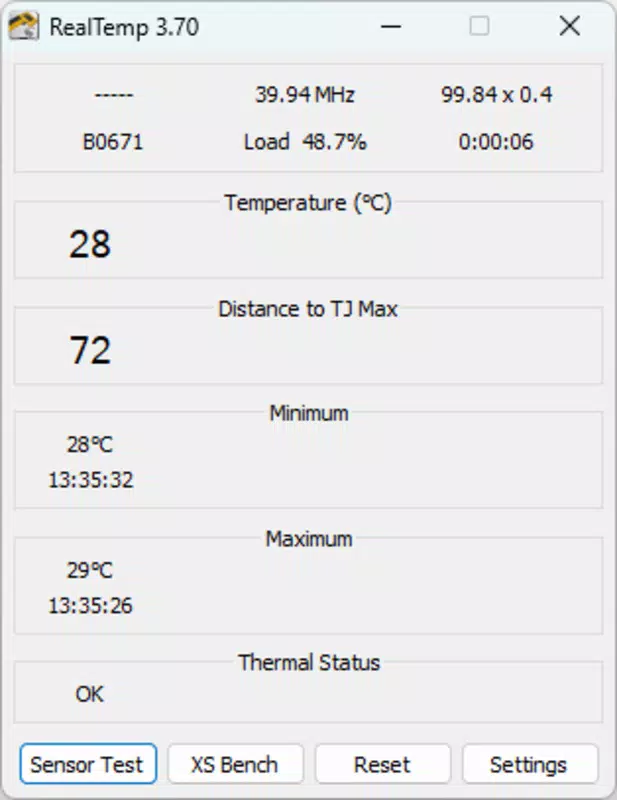
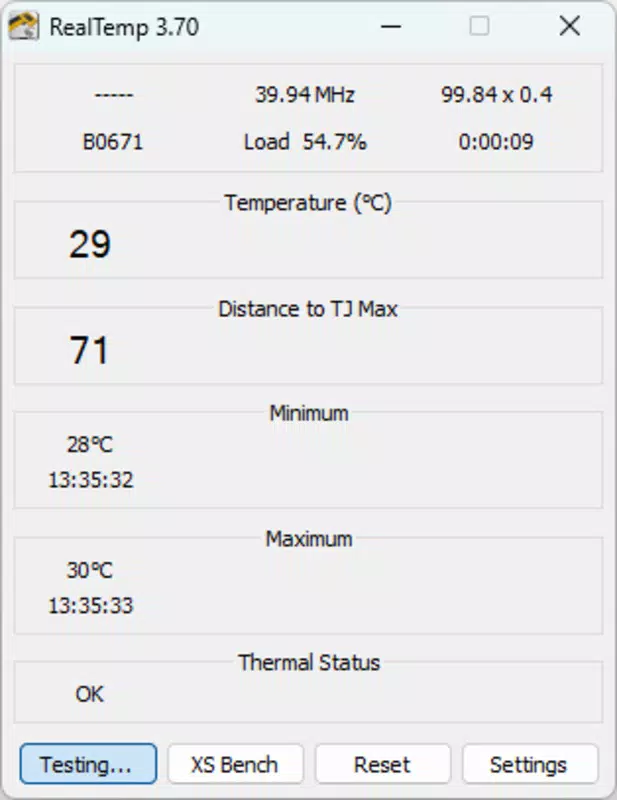
- Real-Time Temperature Monitoring: Displays current CPU temperature readings across all cores, providing immediate feedback on thermal activity. This allows users to observe how temperature changes during different workloads.
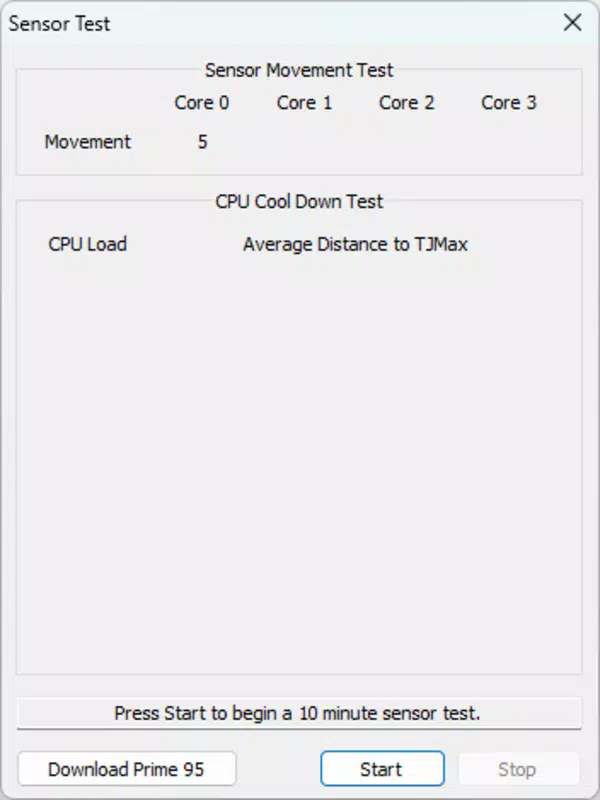
- Core-Specific Tracking: Offers individual temperature readings for each CPU core, enabling advanced users to detect imbalances or hotspots that may indicate cooling inefficiencies.
- Minimum and Maximum Thermal Limits: Shows the safe operating range for the CPU, helping users understand when temperatures approach critical thresholds.
- User-Friendly Interface: Features a compact, intuitive display that presents essential data without clutter, making it accessible even to users with limited technical experience.
- Lightweight Operation: Consumes minimal system resources, allowing it to run continuously in the background without impacting performance or battery life on laptops.
For example, a gamer running a resource-intensive title can use Real Temp to observe temperature spikes during gameplay and adjust fan settings or reduce performance if needed. Similarly, a remote worker using a laptop for extended hours can monitor thermal trends to prevent overheating during long meetings. The app’s informational nature means users must interpret the data and take independent action—such as cleaning fans, applying thermal paste, or improving ventilation—to resolve thermal issues. This makes Real Temp a diagnostic aid rather than an automated solution.
Interface, UX & Performance
Real Temp presents a clean, minimal interface designed for efficiency and clarity. The display is compact, focusing only on essential temperature data, which reduces visual clutter and enhances usability. Navigation is straightforward, with no complex menus or setup steps required—users can launch the app and immediately view CPU core temperatures. The layout is optimized for quick scanning, making it ideal for users who need real-time updates without diving into detailed settings.
Although the developer did not list formal performance metrics, the app’s reported size of 2.5 MB suggests a lightweight footprint. It is designed to run in the background with minimal impact on CPU and memory usage, ensuring it does not interfere with other applications. The interface remains responsive under varying system loads, and the app maintains stability during prolonged use. No reported issues with crashes or freezes were mentioned in the provided information.
Performance across different device categories—such as entry-level laptops, high-end desktops, or mobile workstations—was not specified. However, its small file size and low resource demands imply broad compatibility across Windows systems. Users can expect consistent responsiveness, even on older or less powerful hardware. The app’s design prioritizes function over form, delivering a reliable experience focused on data accuracy and accessibility.
Platform Compatibility & Technical Requirements
Real Temp is available exclusively for the Windows platform. It supports the latest versions of Windows operating systems, though specific OS version requirements were not listed by the developer. The application has a file size of 2.5 MB, indicating a lightweight installation that requires minimal disk space. The current software version is 1.0.0, released on December 11, 2023.
The developer did not specify minimum OS requirements, so users should ensure their system meets general Windows compatibility standards. While no detailed hardware specifications were provided, the app’s small size and low resource consumption suggest it can run on a wide range of devices, including those with limited processing power or memory. Compatibility with both desktop and laptop systems was confirmed, making it suitable for users across various computing environments.
Pros and Cons
- Lightweight and efficient, consuming minimal system resources
- Provides real-time, core-specific temperature monitoring
- Simple, intuitive interface suitable for non-technical users
- Free to download and use with no in-app purchases
- Helps detect overheating risks before system failure occurs
- Does not offer automatic cooling solutions or alerts
- Informational tool only—users must interpret data and act independently
- Platform limited to Windows; no support for Android or iOS
- Developer did not provide detailed technical specifications or update frequency
FAQ
Is Real Temp safe to use on my PC?
Yes, Real Temp is designed as a monitoring tool that does not modify system settings or hardware. It reads temperature data from the CPU and displays it without affecting performance or stability.
Can I use Real Temp on a laptop?
Yes, Real Temp is compatible with laptops and desktops alike. It is particularly useful for laptop users who may experience overheating due to limited cooling capacity.
Does Real Temp require a paid subscription?
No, Real Temp is completely free to download and use. There are no hidden fees, in-app purchases, or premium features.
How often does Real Temp update?
The app’s latest version is 1.0.0, released on December 11, 2023. The developer did not specify a regular update schedule or future release plans.
Is Real Temp compatible with all CPUs?
Real Temp works with CPUs that support temperature monitoring via standard sensors. While it is designed for most modern Intel and AMD processors, compatibility may vary depending on hardware and BIOS configuration.
Final Thoughts
Real Temp stands out as a reliable, no-nonsense tool for users who want to keep a close eye on their PC’s thermal health. Its focus on accuracy, simplicity, and efficiency makes it an excellent choice for both casual users and tech-savvy individuals. By delivering real-time, core-specific temperature data, it empowers users to take proactive steps in maintaining their system’s performance and longevity. While it does not automate cooling or issue alerts, its value lies in transparency—giving users the information they need to make informed decisions.
For anyone concerned about overheating, system stability, or hardware longevity, Real Temp offers a secure, lightweight, and free solution. Whether you're a student, remote worker, or power user, this app provides essential insights without complexity.
Download Real Temp now


